


Page 227 - CyberSecurityEssentialsEnglish
P. 227
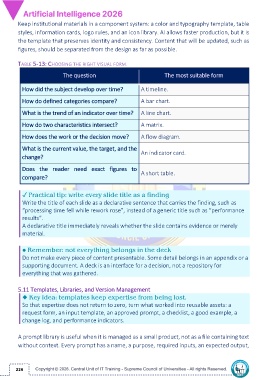
Keep institutional materials in a component system: a color and typography template, table
         styles, information cards, logo rules, and an icon library. AI allows faster production, but it is
         the template that preserves identity and consistency. Content that will be updated, such as

         figures, should be separated from the design as far as possible.

         TABLE 5-13: CHOOSING THE RIGHT VISUAL FORM

                             The question                                 The most suitable form


           How did the subject develop over time?               A timeline.

           How do defined categories compare?                   A bar chart.

           What is the trend of an indicator over time?  A line chart.


           How do two characteristics intersect?                A matrix.

           How does the work or the decision move?              A flow diagram.

           What is the current value, the target, and the
                                                                An indicator card.
           change?

           Does  the  reader  need  exact  figures  to
                                                                A short table.
           compare?


           ✓ Practical tip: write every slide title as a finding
           Write the title of each slide as a declarative sentence that carries the finding, such as

           “processing time fell while rework rose”, instead of a generic title such as “performance
           results”.
           A declarative title immediately reveals whether the slide contains evidence or merely
           material.

           ● Remember: not everything belongs in the deck

           Do not make every piece of content presentable. Some detail belongs in an appendix or a
           supporting document. A deck is an interface for a decision, not a repository for
           everything that was gathered.

         5.11 Templates, Libraries, and Version Management
           ◆ Key idea: templates keep expertise from being lost.

           So that expertise does not return to zero, turn what worked into reusable assets: a
           request form, an input template, an approved prompt, a checklist, a good example, a
           change log, and performance indicators.

         A prompt library is useful when it is managed as a small product, not as a file containing text

         without context. Every prompt has a name, a purpose, required inputs, an expected output,


        226

