


Page 202 - CyberSecurityEssentialsEnglish
P. 202
When we write a prompt to produce a summary, we define a bounded linguistic task. But
         the real work begins before the summarizing and ends after it: where did the material come
         from? Is it the approved version? What must be excluded? Who will read the summary?

         What is the criterion of completeness? Who checks the figures? And where is the final
         version stored? A prompt alone does not answer these questions, because they concern the

         design of the process around it.

         Any professional use of AI can be seen as a part inside a larger system. The input may be an
         email, minutes, a file, a table, or a service request. The processing may include cleaning data,
         extracting elements, generating, and comparing. Then a decision point determines whether
         the work moves on, returns, or escalates. After that comes the output, such as a draft, a

         table, or a deck, and then a record that preserves what was done and what changed.

         The common mistake is to begin with the question: which tool can automate this task? The
         smarter question is: how is the task carried out today, where is the time lost, where does

         the error occur, which step needs linguistic understanding, and which step must stay fixed?
         You  may  discover  that  the  problem  is  not  the  writing  but  the  late  arrival  of  inputs,
         inconsistent file names, or the absence of a criterion for approval.

         Good design begins by describing the required result in a form that can be verified. Instead

         of “I want a good report”, write: “a two-page report that presents three indicators for the
         stated period, links each figure to its source, separates facts from recommendations, and
         identifies the decisions required.” The clearer the end criterion, the easier it becomes to

         design the steps backwards from it.
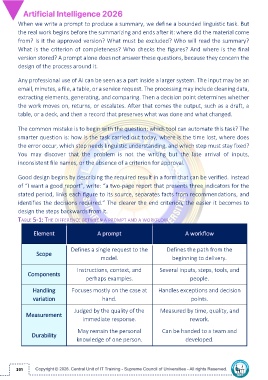
         TABLE 5-1: THE DIFFERENCE BETWEEN A PROMPT AND A WORKFLOW


                Element                     A prompt                               A workflow


                                 Defines a single request to the           Defines the path from the
                 Scope
                                              model.                          beginning to delivery.

                                   Instructions, context, and           Several inputs, steps, tools, and
             Components
                                       perhaps examples.                             people.


                Handling         Focuses mostly on the case at         Handles exceptions and decision
                variation                     hand.                                   points.

                                  Judged by the quality of the          Measured by time, quality, and
             Measurement
                                      immediate response.                            rework.

                                   May remain the personal               Can be handed to a team and
               Durability
                                   knowledge of one person.                        developed.


        201

