


Page 31 - CyberSecurityEssentialsEnglish
P. 31
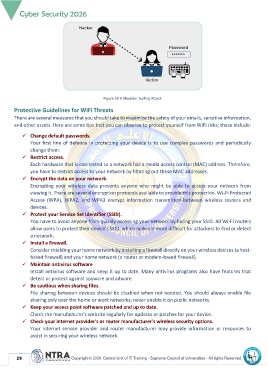
Figure 20 A Shoulder Surfing Attack

       Protective Guidelines for WiFi Threats
       There are several measures that you should take to maximize the safety of your emails, sensitive information,
       and other assets. Here are some tips that you can observe to protect yourself from WiFi risks; these include:

           ✓  Change default passwords.
               Your first line of defence in protecting your device is to use complex passwords and periodically
               change them.
           ✓  Restrict access.
               Each hardware that is connected to a network has a media access control (MAC) address. Therefore,
               you have to restrict access to your network by filtering out these MAC addresses.
           ✓  Encrypt the data on your network.
               Encrypting  your  wireless  data  prevents  anyone  who  might  be  able  to  access  your  network  from
               viewing it. There are several encryption protocols available to provide this protection. Wi-Fi Protected
               Access  (WPA),  WPA2,  and  WPA3  encrypt  information  transmitted  between  wireless  routers  and
               devices.
           ✓  Protect your Service Set Identifier (SSID).
               You have to avoid anyone from quickly accessing your network by hiding your SSID. All Wi-Fi routers
               allow users to protect their device's SSID, which makes it more difficult for attackers to find or detect
               a network.
           ✓  Install a firewall.
               Consider shielding your home network by installing a firewall directly on your wireless devices (a host-
               based firewall) and your home network (a router or modem-based firewall).
           ✓  Maintain antivirus software
               Install antivirus software and keep it up to date. Many antivirus programs also have features that
               detect or protect against spyware and adware.
           ✓  Be cautious when sharing files.
               File sharing between devices should be disabled when not needed. You should always enable file
               sharing only over the home or work networks; never enable it on public networks.
           ✓  Keep your access point software patched and up to date.
               Check the manufacturer's website regularly for updates or patches for your device.
           ✓  Check your internet provider's or router manufacturer's wireless security options.
               Your internet service provider and router manufacturer may provide information or resources to
               assist in securing your wireless network.


          29

