


Page 78 - CyberSecurityEssentialsEnglish
P. 78
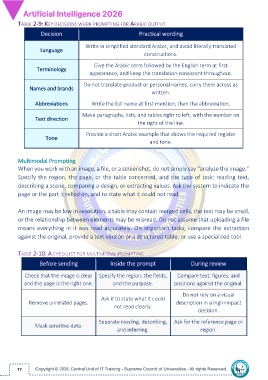
TABLE 2-9: KEY DECISIONS WHEN PROMPTING FOR ARABIC OUTPUT

                   Decision                                    Practical wording

                                       Write in simplified standard Arabic, and avoid literally translated
                   Language
                                                                 constructions.

                                           Give the Arabic term followed by the English term at first
                 Terminology
                                         appearance, and keep the translation consistent throughout.

                                      Do not translate product or personal names; carry them across as
              Names and brands
                                                                    written.

                 Abbreviations            Write the full name at first mention, then the abbreviation.

                                      Make paragraphs, lists, and tables right to left, with the number on
                 Text direction
                                                              the right of the line.

                                       Provide a short Arabic example that shows the required register
                     Tone
                                                                    and tone.


         Multimodal Prompting
         When you work with an image, a file, or a screenshot, do not simply say “analyze the image.”
         Specify the region, the page, or the table concerned, and the type of task: reading text,

         describing a scene, comparing a design, or extracting values. Ask the system to indicate the
         page or the part it relied on, and to state what it could not read.


         An image may be low in resolution, a table may contain merged cells, the text may be small,
         or the relationship between elements may be misread. Do not assume that uploading a file
         means everything in it was read accurately. On important tasks, compare the extraction

         against the original, provide a text version or a structured table, or use a specialized tool.

         TABLE 2-10: A CHECKLIST FOR MULTIMODAL PROMPTING

                   Before sending                 Inside the prompt                   During review


            Check that the image is clear  Specify the region, the fields,      Compare text, figures, and
            and the page is the right one.         and the purpose.           positions against the original.

                                                                                  Do not rely on a visual
                                              Ask it to state what it could
              Remove unrelated pages.                                          description in a high-impact
                                                    not read clearly.
                                                                                         decision.

                                             Separate reading, describing,  Ask for the reference page or
                 Mask sensitive data.
                                                     and inferring.                       region.


         77

